PutDisk
A disk mastering system for the Amiga, in two generations, with its full 68000 source code.
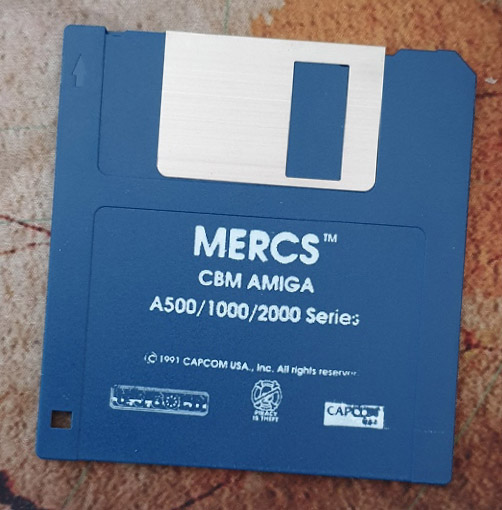
Mastering Amiga game disks
PutDisk writes game disks in a trackdisk.device-compatible format, so they work in every drive and can be copied with almost
any bit-copier. A key disk or a password can protect them. Thanks to Mick West (Neversoft) for the Huffman compression.
- A built-in transfer system, for easy development
- Handles files assembled on an Atari ST (
-A) - A built-in intelligent RAM disk (which can be turned off)
- Fast, transparent compression of files (turn off with
-Q) - A protection override, for testing
- Rainbow mode, to see the RAM disk and decompression at work
Downloads
Assemble the source with Devpac.
Usage
C:Putdisk [-H][-V][-I][-F][-C][-B][-A][-Q][-P][-R] <unit> [<filename>]
-H | Help |
-V | Version details |
-I | Information about the disk |
-F | Fast format of the disk |
-C | Calculate track checksums |
-B | Force the boot track |
-A | An Atari-assembled Autorun.obj file |
-Q | Quick: no compression |
-P | Protection override |
-R | Rainbow mode |
<unit> is 0 to 3. <filename> holds the list of files for the disk. The disk must already be AmigaDOS formatted.
Programmer's notes
- If there's a Degas picture called
Autorun.pc1(or.pi1) on the disk, PutDisk shows it. - Then it loads
Autorun.objat$1300, skips the first long word, and runs it at$1304. - The file must have a standard Amiga header (otherwise use
-A): it's stripped off when the file is recognised. - Every file on the disk must be under 128K.
- When
Autorun.objruns, the machine is in supervisor mode, with all interrupts, DMA and so on shut down. - The default track buffer is at
$70000. - Your code calls PutDisk's functions with the 68000's
TRAPinstructions:
| Trap | Does | Takes |
|---|---|---|
#0 | Reinitialise the Autorun.obj file (no need to call it) | |
#1 | Load a file | a0.l the file name (ending in 0)a1.l the destination |
#2 | Set variables (each used only if positive) | a0.l the track buffer (16K)d0 the seek track number |
#3 | Reset the RAM disk (no need to call it) | |
#4 | Parallel download to $1300, run at $1304 | |
#5 | Check for an Amiga Promat | |
#6 | Check for an Amiga Promat (returns only if it's there) | |
#7 | Load and run a program (returns if there's an error) | a0.l the file name (ending in 0) |
#8 | Reserve expansion memory (removes the RAM disk if chosen) | d0: 0 all expansion; 1 $c00000 slow RAM; 2 $200000 fast RAM; 3 $80000 extended chip RAM |
#9 | Load a Degas picture | a0.l the file name (ending in 0)a1.l a 32,066-byte buffera2.l the destinationThe result: a 1-word header, a 16-word colour table (Amiga format), then 4,000 words for each of planes 0 to 3. |
#10 | Fade the palette | a0.l the palette wanteda1.l the current paletted0 the number of colours in it |
PutDisk II (v2.99 onwards) is the next generation of PutDisk. If there's an autorun.pi1 on the disk, it makes sure it's seen by waiting six
seconds from boot. Special thanks to Ian Shaw (X Animo Designs) for spotting and fixing a couple of important lock-up bugs.
Downloads
Assemble the source with Devpac.
Usage
C:PutDiskII [-H][-V][-I][-F][-C][-B][-Q] <unit> [<filename>]
-H | Help |
-V | Version details |
-I | Information about the disk |
-F | Fast format of the disk |
-C | Calculate track checksums (must be used) |
-B | Force the boot track |
-Q | Quick: no compression |
-R | Retrieve: everything except the Auto files |
-T | TES: used with Retrieve |
<unit> is 0 to 3. <filename> holds the list of files for the disk. The disk must already be AmigaDOS formatted.
Programmer's notes
- On an AGA machine it tries to show
AutoAGA.pi1, thenAutorun.pi1if that isn't there. Hold the right mouse button while booting to skip it. - Then it loads
Autorun.objat$1300, skips the first long word, and runs it at$1304. - The file must have a standard Amiga header: it's stripped off when the file is recognised.
- Every file on the disk must be under 128K.
- When
Autorun.objruns, the machine is in supervisor mode, with all interrupts, DMA and so on shut down, and the cache turned off on 680x0 processors. - Downloads are semi-compatible with PDS. Everything goes to its proper address, unless it's above
$7ffff, in which case it goes to the address& $7ffff ! $80000:$200004becomes$80004, and so does$c00004. That lets you write code for different memory maps and upload it from one address ($c00000code is hard to run on a newer machine). - If there's 2 MB of memory and AGA, it's enabled.
- Retrieve (
-R) makes hard-drive versions of a game: all the data is retrieved, decompressed and written to the current directory. The exception is any file whose name starts with "Auto", because a hard drive's Autorun file has to be written for the hard drive. - TES (
-T) makes one uncompressed file of all the disk's data, with a separate directory file. Several disks can be joined with more than one call:PutDiskII -R-T 0 SuperHero (disk 1) PutDiskII -R-T 0 SuperHero (disk 2)
That makesSuperHero.TesandSuperHero.Dir. - The default track buffer is at
$70000. - Your code calls PutDisk II's functions with the 68000's
TRAPinstructions:
| Trap | Does | Takes |
|---|---|---|
#0 | Reinitialise the Autorun.obj file (called at boot) | |
#1 | Load a file | a0.l the file name (ending in 0)a1.l the destination |
#2 | Set variables (each used only if positive) | a0.l the track buffer (16K)a1.l the disk-change address: code to run if trap #3 finds no file
(use 0 if it isn't used)d0 the seek track number |
#3 | Load a file, asking for a disk change | a0.l the file name (ending in 0)a1.l the destination |
#4 | Parallel PDS download to $1300, run at $1304 | |
#8 | Find expansion memory | |
#9 | Load a Degas picture | a0.l the file name (ending in 0)a1.l a 32,066-byte buffera2.l the destinationThe result: a 1-word header, a 16-word colour table (Amiga format), then 4,000 words for each of planes 0 to 3. |
#10 | Fade the palette | a0.l the palette wanteda1.l the current paletted0 the number of colours in it |